
How to Prevent Door, Fan, and Lighting Issues in Office Phone Booths
How to Prevent Door, Fan, and Lighting Issues in Office Phone Booths
Reliable office phone booths are judged in small moments: whether a user can close the door without forcing it, whether the air remains fresh during a long call, and whether the light responds without leaving someone in the dark. These details may appear separate, but they are closely connected. A misaligned door can weaken acoustic sealing; a struggling fan can make a booth feel stuffy and louder; an incorrectly configured sensor can be mistaken for a lighting fault.
For maintenance teams, the practical objective is not simply to repair failed parts. It is to identify gradual changes before they affect privacy, comfort, safety, or user confidence. A consistent preventive routine also helps distinguish normal operating behavior from a genuine component problem, avoiding unnecessary callouts and parts replacement.
Start With the Door, Because It Protects Both Access and Acoustics
A booth door that drags, rebounds, rattles, or needs a hard push is rarely just a convenience issue. In sound-insulated enclosures, the door perimeter is part of the acoustic system. Even a narrow, inconsistent gap around the frame can reduce the practical privacy users expect from the booth.
Inspect the door in its normal installed position, not only when the booth is empty and level on a workshop floor. Modular units can settle after relocation, particularly where flooring is uneven or adjustable casters have not been rebalanced. Check whether the gap around the door is visually consistent, whether hinges are secure, and whether the latch engages smoothly without pulling the door out of alignment.
Do not respond to every door issue by tightening hinges. Over-tightening may place added stress on the glass, frame, or closing hardware. Instead, work through the likely causes in sequence: confirm that the booth is level; inspect hinge screws and mounting points; assess the condition and compression of seals; then adjust the latch or closer only if the door position is correct. If a transparent door uses laminated tempered glass, handle any adjustment carefully and follow the supplier’s installation guidance.
Cleaning matters here as well. Dust, carpet fibers, and adhesive residue near the threshold can interfere with closure. Avoid aggressive solvents on powder-coated surfaces, seals, and composite panels unless the material guidance permits them. A clean, dry contact surface gives a more reliable indication of whether a seal is actually worn.
Treat Ventilation Noise and Airflow as Separate Symptoms
When users report that a booth fan is “not working,” the root cause may be weak airflow, unusual sound, intermittent operation, or simply an expectation mismatch. A ventilation system can be operating while still producing a comfort complaint. Maintenance checks should therefore address airflow and noise independently.
Begin with the basics: verify that the booth has power, check the control setting, and inspect intake and exhaust openings for dust accumulation or objects placed too close to the panels. In busy offices, a booth may be pushed against furniture after a layout change, restricting air circulation that was adequate at installation. External airflow paths deserve as much attention as the fan itself.
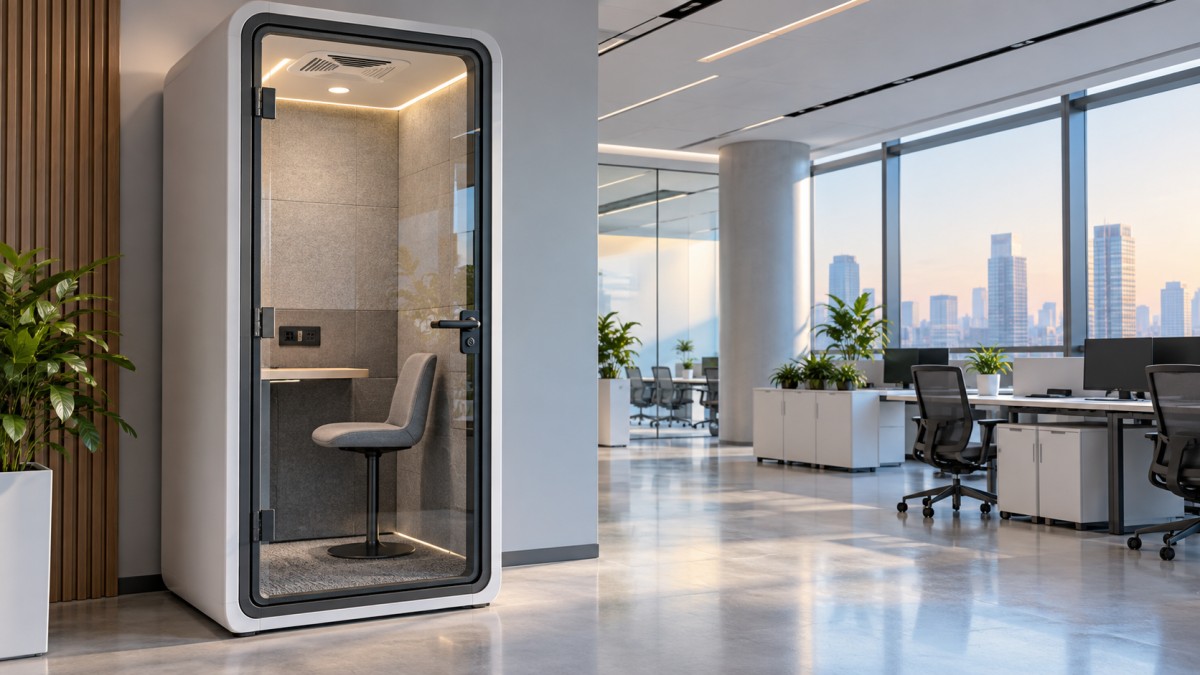
A new clicking, scraping, vibration, or high-pitched sound should be recorded with the fan speed setting and time of occurrence. This is more useful than a general report of “fan noise.” It can help determine whether the issue is linked to a fan, a loose grille, a control module, or resonance from a panel. Before opening electrical compartments, isolate power and follow the equipment’s service instructions. Fan assemblies and electrical wiring should not be treated as interchangeable generic components.
For office phone booths with variable fan speed, test the lowest and highest settings after cleaning. If airflow remains weak across settings, investigate the electrical supply, controller, connections, and fan condition rather than assuming cleaning has solved the issue. Conversely, a fan that is audible at its highest setting may not be defective if airflow is correct and the product’s intended operating profile allows that speed. The meaningful comparison is against its normal baseline, not against an expectation of complete silence.
Avoid Misdiagnosing Smart Lighting
Presence-sensor lighting is designed to reduce unnecessary energy use, but its behavior can confuse users after installation or relocation. A delayed switch-off is often intentional. Before treating it as a fault, confirm the configured delay, sensor position, and whether the user has remained sufficiently still for the sensor to detect occupancy.
Test lighting in a controlled sequence: enter the booth, confirm activation, remain inside long enough to assess stable operation, leave fully, and observe the switch-off delay. Repeat this after checking that no signage, accessory, or furniture placement obstructs the sensor’s field of view. If the system includes touch controls for dimming, confirm that the brightness setting has not simply been reduced to a level users interpret as failed lighting.
Intermittent lighting can also indicate a broader power issue, especially when sockets, fan controls, and lights behave inconsistently at the same time. In that situation, do not replace the lamp or sensor first. Inspect the supply path and connections through an authorized service procedure. Isolating symptoms in this way prevents repeated cosmetic repairs while the underlying electrical issue remains unresolved.
Build a Short Routine Around Real Usage Conditions
The most effective maintenance schedule is usually simple enough to be performed consistently. A brief regular inspection can cover door closure, seal condition, fan sound and airflow, light activation, touch controls, sockets, visible fasteners, and the booth’s level. Record changes rather than only failures. A door that begins closing more slowly or a fan that becomes slightly louder is easier to address before it disrupts daily use.
After a booth has been moved, make relocation inspection mandatory. Recheck caster adjustment, door operation, external ventilation clearance, power connection, and sensor response. This is especially relevant for plug-and-play structures: their mobility is an advantage, but moving them changes the physical conditions that affect performance.
Material selection also influences what a maintenance team should watch. Steel sheets with durable powder coating, sound-absorbing wall panels, carpet finishes, glass, seals, and fire-resistant work surfaces each require different cleaning methods and inspection points. Using one cleaning product or one repair approach for every surface can create avoidable damage.
Use Product-Specific Parameters When Escalating a Fault
A useful service report should include the booth model, installation location, recent relocation history, the exact symptom, control settings, and photographs or video where appropriate. For example, the TB-SH Single Person Office Booth combines a human-presence lighting sensor with an adjustable switch-off delay of approximately 15 seconds after exit, a third-generation fresh-air exchange system, and touch-screen fan-speed and dimming adjustment. Those details help a technician separate intended behavior from a defect.
The same model has external dimensions of W1080 mm × D1080 mm × H2300 mm and four adjustable casters. If door alignment changes after a move, confirming level and caster adjustment should come before more intrusive repairs. Its stated 31 dB noise reduction is supported by an SGS or Institute of Acoustics, Chinese Academy of Sciences test report, but on-site acoustic results can still be affected by door closure, seal condition, installation context, and surrounding noise.
This maintenance mindset applies beyond workplace booths. Acoustic and modular enclosure projects for airport changing lounges, private banking suites, and medical-grade purification cabins all depend on the same discipline: preserve moving parts, keep airflow paths clear, verify controls in real operating conditions, and escalate issues with precise records. The enclosure may change, but overlooked basics remain a common source of downtime.
When a problem persists after level checks, cleaning, setting verification, and safe visual inspection, pause before improvising a repair. Confirm the correct replacement part, wiring configuration, and service procedure for that specific booth. In office phone booths, a careful early intervention is usually less disruptive than waiting until users stop trusting the space altogether.

Get real-time quotes
Interested? Leave your contact details.